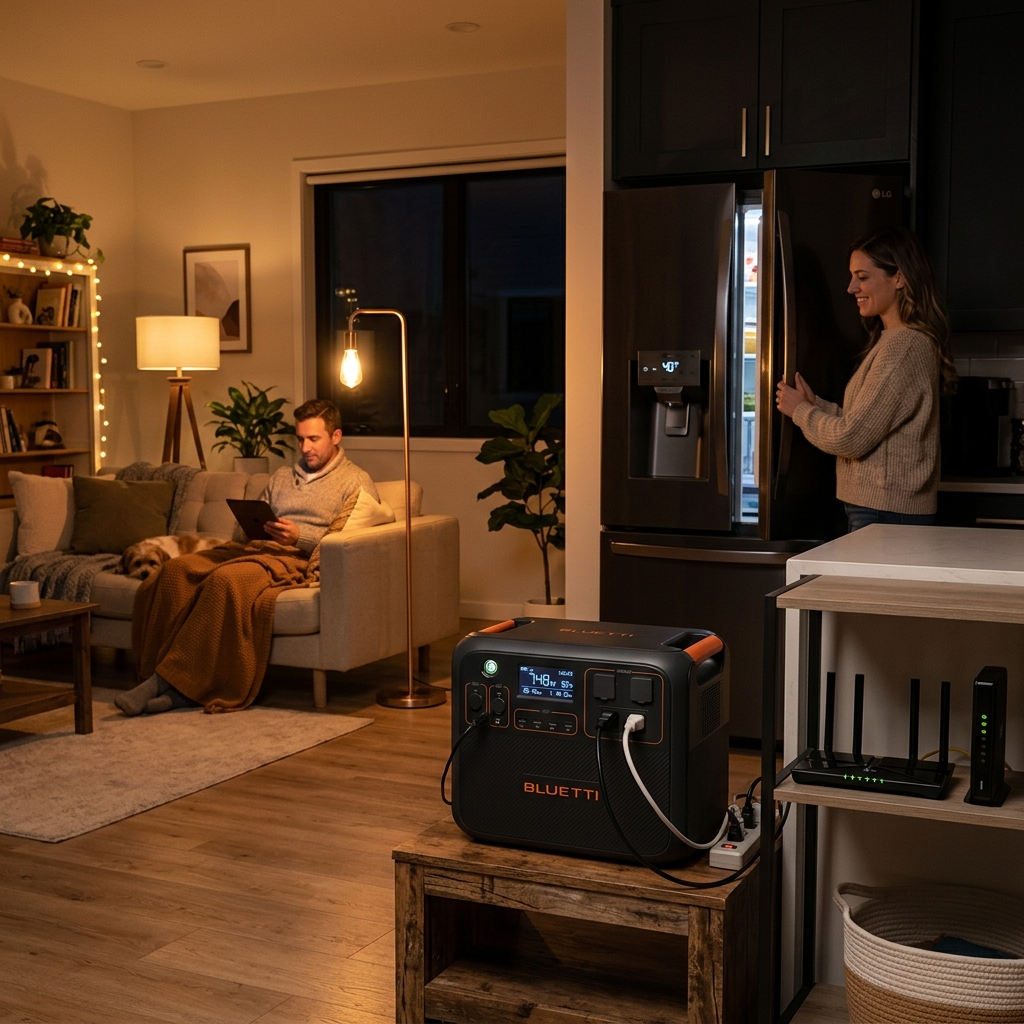
Direct answer: Power outages are becoming more frequent and longer lasting. Climate-driven extreme weather events, aging infrastructure, and grid strain during peak demand are creating scenarios where being without power for hours or days is increasingly common. A portable power station provides peace of mind and
Power outages are becoming more frequent and longer lasting. Climate-driven extreme weather events, aging infrastructure, and grid strain during peak demand are creating scenarios where being without power for hours or days is increasingly common. A portable power station provides peace of mind and keeps essential devices running when the lights go out.
Why Home Backup Matters Now More Than Ever
The average US household experiences 8 hours of power outages annually, but this varies dramatically by region. California residents faced rolling blackouts and PSPS shutdowns. Texas experienced extended winter storm outages. Hurricane-prone states see multi-day blackouts during storm season. Having backup power isn't paranoia—it's practical preparation.
Unlike traditional gas generators, portable power stations work indoors without producing dangerous carbon monoxide. They're silent, require no maintenance, and start instantly with the press of a button. Most importantly, they keep critical devices running: refrigerators preserving food and medication, medical equipment like CPAP machines and oxygen concentrators, routers maintaining internet connectivity, and lights providing safety and comfort.
Calculate Your Power Needs
Before choosing a power station, determine which devices you absolutely need during an outage and how long you need them to run.
Essential Appliances with Typical Power Consumption
Refrigeration:
- Full-size refrigerator: 100-800W running (1200W startup surge)
- Compact refrigerator: 50-100W running (300W startup)
- Freezer: 100-300W running (800W startup)
Medical Equipment:
- CPAP machine: 30-60W (no humidifier), 90-150W (with heated humidifier)
- Oxygen concentrator: 300-600W
- Nebulizer: 100-200W
Communication and Information:
- Internet router/modem: 10-20W
- Smartphone charging: 10-15W
- Laptop: 45-90W
- Tablet: 10-25W
Lighting and Comfort:
- LED light bulbs: 8-15W each
- Table lamp: 10-60W
- Box fan: 50-100W
- Electric blanket: 50-200W
Cooking (limited use):
- Microwave: 600-1200W
- Coffee maker: 600-1000W
- Toaster: 800-1500W
- Electric kettle: 1000-1500W
Capacity Calculator
Calculate your minimum capacity needs using this formula:
Total Wh needed = (Device wattage × Hours of use) + (Device wattage × Hours of use) + 20% buffer
Example for 8-hour outage essentials:
- Refrigerator: 150W × 8 hours = 1200Wh
- Router: 15W × 8 hours = 120Wh
- Phone charging (2 devices): 25W × 2 hours = 50Wh
- LED lights: 40W × 8 hours = 320Wh
- Subtotal: 1690Wh + 20% buffer = 2028Wh needed
For this scenario, you'd want a power station with at least 2000Wh capacity.
Product Recommendations by Home Size
Apartments and Essentials: 1000-2000Wh
Perfect for keeping a refrigerator, internet, lights, and device charging running during short to medium outages (4-12 hours).
Top picks in this range:
- Jackery Explorer 1000 Plus (1264Wh): Reliable workhorse that handles refrigerators with ease thanks to 2000W output. Expandable with additional batteries. Around $1000.
- EcoFlow DELTA 2 (1024Wh): Fast charging means you can top up quickly if power returns briefly. Excellent app monitoring. Around $900-1100.
- Bluetti EB70S (716Wh): Budget-friendly option with LiFePO4 battery for longevity. Best for compact fridges and essentials. Around $500-600.
Real-world runtime examples:
With a 1500Wh unit, you can typically run a refrigerator for 10-12 hours (cycling on/off), keep your router online continuously, charge phones 50+ times, and power LED lights throughout a home for the entire duration.
Small Homes: 2000-4000Wh
This capacity range handles multiple essential appliances simultaneously and extends runtime for multi-day outages.
Top picks in this range:
- Bluetti AC200MAX (2048Wh, expandable to 8192Wh): Modular design lets you start smaller and add capacity later. Four 2400Wh batteries can connect for massive expansion. Around $1600-1900.
- EcoFlow DELTA Pro (3600Wh): Powerhouse with 3600W output handles even high-draw appliances. Can parallel two units for 7200Wh. Around $3200-3700.
- Jackery Explorer 2000 Plus (2042Wh, expandable to 12kWh): Excellent balance of capacity and modularity with Jackery's legendary reliability. Around $1800-2000.
Real-world runtime examples:
A 3000Wh unit can run a refrigerator for 20-24 hours, maintain internet and multiple device charging continuously, power a CPAP machine for 2-3 nights, and provide lighting throughout your home for several evenings.
Whole Home Backup: 4000Wh+
For extended outages or running major appliances including well pumps, sump pumps, and air conditioning (limited runtime).
Top picks in this range:
- Bluetti AC500 + B300S combo (5000Wh+): Professional-grade system that can expand to 18,432Wh. Handles 5000W continuous output with 10,000W surge. Around $4500-5000 for base system.
- EcoFlow DELTA Pro Ultra (6000Wh base): Premium system with smart home integration and professional installation options. Expandable to 90kWh with battery add-ons. Around $5500-5800.
- Anker SOLIX F3800 (3840Wh, expandable to 26.9kWh): Newer entrant with impressive specs and Anker's reputation for quality. Around $3500-4000.
Real-world capabilities:
These systems can handle full-size refrigerators, freezers, internet, lights, and intermittent use of high-draw appliances. A 5000Wh system might power essential circuits for 2-3 days with careful energy management, or provide shorter runtime with more liberal usage including occasional air conditioning.
Integration Options: Transfer Switch vs Plug-In
Plug-and-Play Approach
The simplest method is directly plugging appliances into the power station using extension cords. This requires no installation and lets you move the unit as needed.
Advantages: No installation cost, maximum flexibility, can use unit for camping and other purposes, take it with you if you move.
Disadvantages: Can't power hardwired appliances, must physically connect each device, not ideal for whole-home coverage, multiple extension cords can be cluttered and potentially hazardous.
Best for: Renters, temporary solutions, entry-level backup needs.
Manual Transfer Switch
A licensed electrician installs a manual transfer switch that connects your power station to specific circuits in your electrical panel. During an outage, you physically switch selected circuits from utility to backup power.
Advantages: Powers hardwired appliances, cleaner integration, can select critical circuits, safer than jury-rigging connections.
Disadvantages: Requires professional installation ($500-1500), not portable between homes, must manually switch during outage.
Best for: Homeowners with long-term plans, those wanting to power well pumps or hardwired medical equipment.
Smart Home Integration
Some premium power stations offer smart home integration with automatic switchover capability, similar to whole-home battery systems.
Advantages: Automatic switchover (no manual intervention), can pair with existing solar, integrates with smart home systems, professional appearance.
Disadvantages: Expensive installation ($2000-5000+), requires compatible power station, generally permanent installation.
Best for: Those treating backup power as critical infrastructure, homes with existing solar systems, tech enthusiasts wanting seamless integration.
Portable Power Station vs Whole Home Generator
Traditional permanently installed generators have their place, but portable power stations offer advantages for many homeowners:
Power stations win on:
- Zero maintenance (no oil changes, carburetor cleaning, winterization)
- Indoor operation (no carbon monoxide risk)
- Silent operation (won't disturb neighbors)
- Instant start (no pull cords or fuel management)
- Solar rechargeable (free fuel after sun comes up)
- Multi-purpose (camping, jobsites, emergency backup)
- No fuel storage concerns
- Lower initial cost for small systems
Generators win on:
- Unlimited runtime with sufficient fuel
- Higher power output for whole-home backup
- Better for extended multi-day outages
- Cost-effective for very large power needs (10,000W+)
Many homeowners find the sweet spot is a portable power station for essentials (fridge, internet, medical) backed up by a small generator if outages extend beyond the battery capacity.
Top 5 Home Backup Power Stations Compared
| Model | Capacity | Output | Expansion | UPS Mode | Price |
|---|---|---|---|---|---|
| Bluetti AC200MAX | 2048Wh | 2200W | Up to 8192Wh | Yes (20ms) | $1899 |
| EcoFlow DELTA Pro | 3600Wh | 3600W | Up to 25kWh | Yes (30ms) | $3699 |
| Jackery 2000 Plus | 2042Wh | 3000W | Up to 12kWh | No | $1999 |
| Anker 767 | 2048Wh | 2400W | No | Yes (20ms) | $1799 |
| Bluetti AC500 + B300S | 5000Wh | 5000W | Up to 18.4kWh | Yes (20ms) | $4999 |
Critical Features for Emergency Backup
UPS (Uninterruptible Power Supply) Mode: This feature keeps the power station connected and continuously powering devices. When grid power fails, the station switches to battery instantly (typically 10-30ms). Critical for medical equipment, servers, or networking equipment that shouldn't lose power even briefly.
Pass-through charging: Allows the unit to power devices while simultaneously charging from solar or grid power. During an outage with solar panels, this means continuous power availability.
Multiple circuit protection: Look for overload protection, short circuit protection, over-temperature protection, and low-voltage protection. These safety features prevent damage to both the power station and your connected devices.
Pure sine wave output: Essential for sensitive electronics. Modified sine wave can damage equipment or cause malfunctions in devices with motors (like CPAP machines or refrigerators).
Solar input capability: Even during extended outages, daylight returns. Models accepting high solar input (800W+) can fully recharge in a single day of sunshine, providing indefinite backup when paired with adequate solar panels.
Battery chemistry: LiFePO4 batteries last 3000+ cycles and are safer in home environments. They also perform better in temperature extremes often found in garages or basements.
Preparing Your Home Backup System
Once you've chosen a power station, proper preparation ensures it works flawlessly when needed:
Keep it charged: Check charge levels monthly and top up as needed. Most units self-discharge slowly and should be recharged every 3-6 months if unused.
Test regularly: Run a drill every few months. Practice switching appliances over, verify runtime matches expectations, ensure all family members know the procedure.
Strategic placement: Store the unit where it's accessible during emergencies. Basements and garages work well but consider temperature extremes. Keep it elevated off the floor in flood-prone areas.
Document connections: Label which appliances connect to which outlets. In a nighttime emergency, you don't want to fumble figuring out connections.
Solar backup plan: Even without permanent solar installation, keeping a compatible folding solar panel in storage means you can extend runtime during multi-day outages.
Surge protection: Although quality power stations have built-in protection, consider surge protectors for particularly sensitive equipment as an extra layer of security.
Making Your Decision
Start by listing your absolute must-have devices during an outage. Calculate the total watt-hours needed for your target runtime (usually 12-24 hours). Add 30-50% buffer for efficiency losses, unexpected needs, and potential future expansion of backed-up devices.
For most homes, 2000-3000Wh capacity provides solid emergency coverage for critical appliances. Apartment dwellers often find 1000-1500Wh sufficient. Those in areas with frequent extended outages or with medical needs should consider 3000-5000Wh with expansion options.
Remember that a power station is an investment in peace of mind. The cost becomes irrelevant the first time your family has light, refrigeration, and internet while neighbors sit in the dark. Start with a properly sized base unit, then expand capacity if your needs grow.
Ready to secure your home against outages? Explore our complete selection of home backup power stations with detailed reviews and real-world runtime testing.